
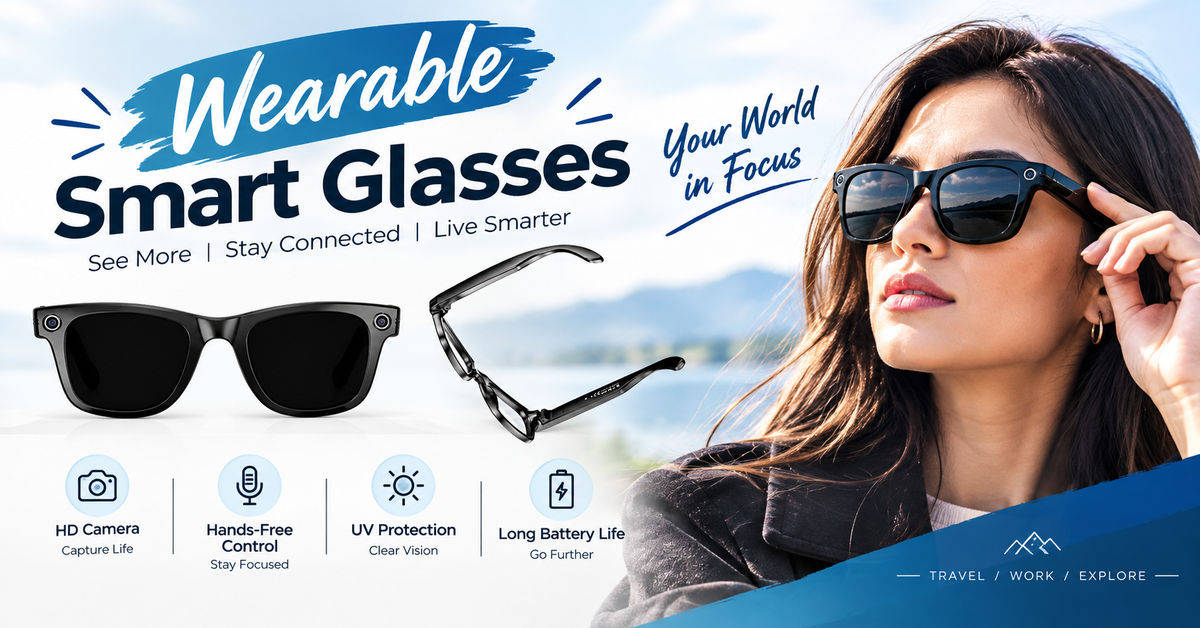
How many times a day do you pull your phone out of your pocket? Checking directions on Queen Street, replying to a message on the ferry, filming a moment on a walk around Wellington’s waterfront. Smartphones are brilliant, but they keep one hand and both eyes busy. That’s exactly the gap wearable smart glasses aim to fill.
For many people in New Zealand, hands-free technology is moving from novelty to everyday tool. In this guide from techauraonline, we compare wearable smart glasses with smartphones, look at the real benefits, and help you decide whether they’re worth adding to your tech lineup.
What Are Wearable Smart Glasses?
Wearable smart glasses look like regular eyewear but include built-in technology. Depending on the model, they may offer:
-
Open-ear speakers and microphones for calls, music, and voice assistants
-
A small camera for photos and short videos
-
A heads-up display that shows notifications, translations, or directions
-
Touch controls on the frame and voice commands
Not all wearable smart glasses are the same. Audio and camera models focus on being light and stylish. Display models add more information in your line of sight, but are usually bulkier. Most pair with your smartphone through Bluetooth, which is an important point: for now, smart glasses mostly work alongside your phone rather than replacing it.
Wearable Smart Glasses vs Smartphones: Quick Comparison
|
Feature |
Wearable Smart Glasses |
Smartphones |
|
Hands-free use |
Excellent |
Limited |
|
Screen size and detail |
Small or none |
Large and rich |
|
Photo and video |
Point-of-view, quick capture |
Higher quality, more control |
|
Battery life |
Short to moderate |
Full day for most users |
|
Apps |
Limited |
Huge ecosystem |
|
Discreet use |
Very easy |
Obvious |
This table shows the core idea: smartphones are more powerful, while wearable smart glasses are more convenient in the moments when your hands are busy.
Benefit 1: True Hands-Free Convenience
The biggest advantage of wearable smart glasses is freedom. You can take a call while carrying shopping, change a song while cycling, or ask for the weather while cooking dinner. There’s no need to dig out your phone, unlock it, and tap through menus.
For parents holding kids, tradespeople on a job site, and anyone who juggles bags and coffee, that small saving of effort adds up through the day.
Benefit 2: Better Awareness of Your Surroundings
Staring down at a phone makes you less aware of what’s around you, whether it’s traffic, other pedestrians, or uneven footpaths. Wearable smart glasses with open-ear audio let you hear directions or messages while still hearing the world around you. Your head stays up and your eyes stay on the road ahead.
A word of caution: in New Zealand, using a handheld phone while driving is illegal, and distraction from any device is dangerous. Smart glasses are not a licence to multitask behind the wheel, so always follow current road rules.
Benefit 3: Calls, Music, and Voice Assistants
Many people buy wearable smart glasses simply to replace earbuds. Built-in speakers deliver calls, podcasts, and music without blocking your ears. Voice commands can send messages, set reminders, and start navigation.
This is especially handy for walking commutes, gym sessions, and long drives to the bach. You also avoid the hassle of losing small earbuds or recharging a separate case.
Benefit 4: Capture Moments from Your Point of View
A camera on your face captures what you actually see. For travel, hiking, and family events, this makes it easy to record a moment without pulling out your phone and missing it.
Think of a first-person clip of a kayak trip in the Marlborough Sounds, or your child’s first steps at home. You stay present while still keeping the memory. Smartphones still win on image quality, zoom, and editing, but wearable smart glasses win on speed and spontaneity.
Benefit 5: Easier Navigation and Translation
Display models can show turn-by-turn directions in your field of view, so you don’t need to stop and check your phone. Some also offer live translation, which is useful for travellers and for conversations with visitors to New Zealand.
Even audio-only models can give spoken directions, which is plenty for exploring a new suburb or city on foot.
Benefit 6: Productivity at Work
Hands-free technology has real business uses. Field technicians can follow instructions while using both hands, warehouse staff can scan information quickly, and healthcare and trade workers can share what they see with a colleague for remote help. Even office workers can use voice features for reminders, meeting notes, and quick calls.
For small businesses across New Zealand, this can mean fewer interruptions and faster work.
How to Care for Your Wearable Smart Glasses
Wearable smart glasses are a small investment in both money and convenience, so a little care goes a long way. Follow these simple habits to keep them working well for years:
-
Clean the lenses gently: Use a soft microfibre cloth and a lens-safe cleaner. Avoid paper towels or rough fabric, which can scratch the lenses and cover the camera or sensors.
-
Keep the camera and microphone clear: Dust and fingerprints affect photo quality and call clarity. Wipe these areas regularly with a dry cloth.
-
Charge them the right way: Use the official charging case or cable that comes with your wearable smart glasses. Avoid leaving them plugged in overnight every night, as this can wear the battery over time.
-
Protect them from heat and water: Do not leave your wearable smart glasses on a car dashboard in the summer sun. Even if they are water resistant, avoid swimming, showers, or heavy rain unless the maker says it is safe.
-
Store them in the case: When you’re not wearing them, keep them in their case to protect the frame, lenses, and charging contacts.
-
Update the software: Check the companion app now and then. Updates often improve battery life, connection, and features.
-
Know your warranty: Keep your receipt and read the warranty terms, so you can claim a repair or replacement quickly if something goes wrong.
Privacy and Etiquette in New Zealand
Cameras on glasses raise fair questions. Other people may not realise they’re being recorded, so use common sense. Ask before filming in private spaces, avoid recording in changing rooms, bathrooms, or sensitive workplaces, and respect venues that ban recording.
New Zealand’s Privacy Act 2020 sets rules about how personal information is collected and used, which matters especially for businesses using smart glasses. Choose models with a visible recording indicator light, and review the brand’s data and privacy settings before you buy.
How to Choose the Right Wearable Smart Glasses
Before you spend your money, compare these points:
-
Purpose: Calls and music, photo capture, or a display for navigation?
-
Comfort and weight: You’ll wear them for hours, so they must feel light.
-
Battery life and charging: Check real-world usage, not just the headline figure.
-
Compatibility: Confirm they work with your iPhone or Android phone and its apps.
-
Lens options: Look for prescription and sunglass versions, as New Zealand’s UV levels are high.
-
Water resistance: Useful for our unpredictable weather.
-
Warranty and local support: Buying from a seller who supports New Zealand customers makes returns and repairs simpler. Under the Consumer Guarantees Act, products must be of acceptable quality.
Why Buy Wearable Smart Glasses from techauraonline?
Choosing the right product is only half the job. Where you buy it matters just as much. Here’s why New Zealand customers can trust techauraonline for their tech purchases:
-
Carefully selected products: We list wearable smart glasses and accessories that are practical, reliable, and suited to everyday life in New Zealand.
-
Honest product information: Clear specs, real-world features, and compatibility details, so you know exactly what you’re getting before you pay.
-
Local support: Questions about setup, compatibility, or returns? Our team understands New Zealand customers and is here to help.
-
Fair pricing and value: Quality tech doesn’t have to be overpriced. We focus on products that deliver real value for your money.
-
Your rights protected: Our products are covered by New Zealand’s Consumer Guarantees Act, so you can shop with confidence.
-
Helpful guides: From buying guides like this one to accessory recommendations, we help you decide with clear, practical advice.
Final Thoughts
Wearable smart glasses and smartphones each have their place. Your phone remains the powerhouse for apps, screens, and high-quality photos. Wearable smart glasses bring something different: calls, audio, quick capture, and information without reaching into your pocket.
If your day involves lots of walking, travelling, or working with your hands, the hands-free benefits can be genuinely useful. If you mostly sit at a desk and scroll, your phone may still be all you need.
At techauraonline, we aim to make tech choices simpler with honest, practical guides like this one. Explore our other articles to find the right gadgets for your lifestyle.
FAQs
1. Can wearable smart glasses replace my smartphone?
Not yet. Most wearable smart glasses connect to your phone and rely on it for apps, internet, and settings. They work best as a hands-free companion.
2. Are wearable smart glasses safe to use while walking?
Audio and camera models are generally fine because they keep your ears and eyes open to your surroundings. Stay alert, and never use any device in a way that distracts you while driving.
3. How long does the battery last on wearable smart glasses?
It varies by model and use, but many last a few hours of active use. Most come with a charging case that tops them up during the day.
4. Do wearable smart glasses work with iPhone and Android?
Most models support both through Bluetooth and a companion app. Always check compatibility with your exact phone before buying.
5. Are wearable smart glasses legal to use in New Zealand?
Owning and using them is legal, but you must respect privacy rules and road laws. Avoid recording people in private settings without their consent.